Building a high-end machine learning workstation is the ultimate dream for many data scientists and AI engineers. When you are training massive language models or working with heavy computer vision datasets, standard hardware just does not cut it. If you want to accelerate your workflow, mastering how to configure dual rtx 4090 for deep learning is a game-changer. Two of these powerhouse GPUs deliver incredible VRAM capacity and parallel processing muscle, rivaling enterprise-grade setups at a fraction of the cost.
However, putting together a dual-card Ada Lovelace configuration requires careful planning. From power delivery and physical dimensions to PCIe lanes and software environments, small mistakes can lead to thermal throttling or system instability. Let us dive into the ultimate blueprint for building and optimizing your dual RTX 4090 deep learning rig.
Hardware Architecture and Power Requirements
The first hurdle when looking into how to configure dual rtx 4090 for deep learning is dealing with the sheer physical size and power draw of these cards. RTX 4090 GPUs are notoriously massive, often taking up 3.5 to 4 slots each. You cannot simply drop them into any standard mid-tower case or motherboard. You need a robust foundation.
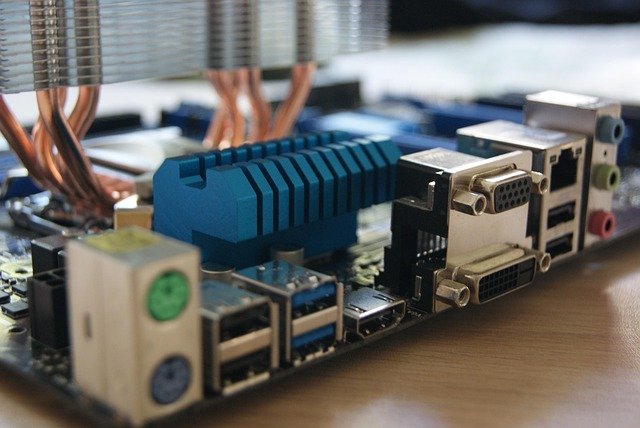
Start with a workstation-grade motherboard that supports PCIe bifurcation and offers enough physical space between slots to allow airflow. Next, look at your power supply unit (PSU). A single RTX 4090 can experience sharp power spikes, so running two requires a top-tier, ATX 3.0-compliant PSU rated for at least 1600W to 2000W. Finally, invest in a full-tower chassis or an open-air test bench with high static-pressure fans to manage the immense heat output.
Physical Installation and Thermal Management
Once you have gathered your components, physical assembly begins. Because these cards generate significant thermal energy, proper spacing is critical. If your motherboard places the two GPUs directly adjacent to each other, the top card will choke, driving temperatures past 80°C and triggering thermal throttling. Using a specialized PCIe riser cable or a custom water-cooling loop can mitigate this issue, though high-airflow air-cooled setups work if you choose a wide workstation chassis.
Ensure that your power cables are securely plugged in, utilizing dedicated 16-pin 12VHPWR cables directly from your power supply rather than daisy-chained adapters. Loose connections under heavy machine learning workloads can lead to system crashes or hardware damage. Double-check all clearances before powering on for the first time.

Software Stack and Driver Optimization
Hardware is only half the battle. Knowing how to configure dual rtx 4090 for deep learning on the software side is where the magic happens. After installing a stable Linux distribution—Ubuntu LTS is the industry standard for AI development—you need to install the latest NVIDIA proprietary drivers, the CUDA Toolkit, and the cuDNN library.
Once your base drivers are active, verify that your operating system and PyTorch or TensorFlow frameworks recognize both GPUs using commands like nvidia-smi. You will want to configure your training scripts to utilize Distributed Data Parallel (DDP) or automatic mixed precision to fully leverage the dual-GPU architecture. This ensures your datasets are split efficiently, cutting your model training times down to a fraction.

Frequently Asked Questions (Q&A)
Do I need a custom liquid cooling loop for dual RTX 4090s?
While not strictly mandatory, a custom liquid cooling loop is highly recommended. Air-cooled dual RTX 4090 setups often suffer from thermal throttling because the top card blocks airflow to the bottom card. Water blocks significantly reduce the thickness of the cards, allowing them to fit comfortably in standard multi-GPU motherboards while keeping temperatures low.
What size power supply do I need for a dual RTX 4090 deep learning rig?
You should use a high-efficiency power supply rated for at least 1600W, though a 2000W unit is safer to account for power spikes under heavy deep learning workloads, processor power draw, and auxiliary system components.
Can I use NVLink with dual RTX 4090 GPUs?
No, NVIDIA removed NVLink support for the RTX 4090 consumer cards. However, deep learning frameworks like PyTorch handle multi-GPU communication efficiently over standard PCIe lanes using data parallelism, meaning you can still train massive models seamlessly without hardware-level bridging.
Tags: RTX 4090, Deep Learning, GPU Rig, Machine Learning Hardware