Welcome back to the cutting edge of tech. If you are diving into the complex world of text-to-3D, NeRFs, or custom generative asset pipelines, you already know one hard truth: standard consumer setups just do not cut it. Building architectures that output high-dimensional spatial data requires brutal computational horsepower. Finding the best gpu for training custom generative 3d neural networks is no longer just about raw clock speeds; it is about VRAM capacity, tensor core generation, and pipeline efficiency.
As we navigate through late 2026, the intersection of real-time rendering and machine learning has exploded. Generative 3D models require massive memory footprints to cache point clouds, voxel grids, and diffusion latents simultaneously. Let us break down what actually matters when configuring your next serious AI rig.
Understanding VRAM Demands in 3D Generative AI
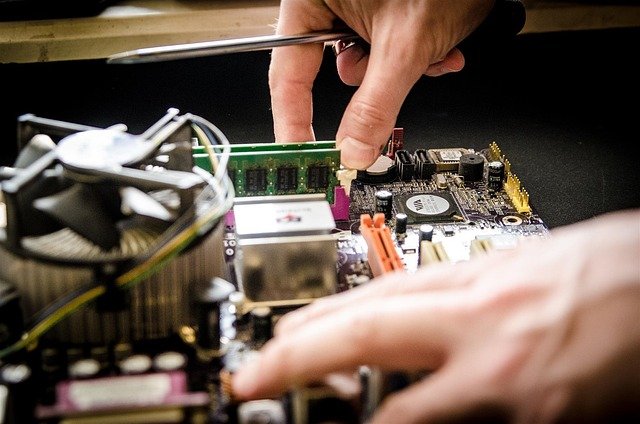
When training traditional 2D image generators, 16GB or 24GB of VRAM might get you comfortably across the finish line. However, generative 3D frameworks scale exponentially. Handling multi-view diffusion, mesh extraction, and differentiable rendering means memory limits are hit almost instantly. If your model throws out “CUDA Out of Memory” errors mid-epoch, your hardware bottleneck is grinding your research to a costly halt.
To secure a seamless workflow, look for GPUs that offer expansive frame buffers and high memory bandwidth. Here is what you should prioritize for heavy 3D workloads:
- VRAM Capacity: Aim for a minimum of 24GB for experimentation, though 48GB or higher is ideal for production-scale custom architectures.
- Memory Bandwidth: High-bandwidth memory (HBM3 or GDDR6X) ensures your GPU spends less time waiting for data to load from system RAM.
- Tensor Core Architecture: Newer generations feature advanced FP8 and mixed-precision execution, drastically cutting down training times without sacrificing structural accuracy.
Top Hardware Contenders for Your AI Workstation
Choosing the right hardware ultimately depends on your budget and whether you are training locally or spinning up cloud clusters. Enterprise-grade beasts like the NVIDIA RTX 6000 Ada Generation remain the gold standard for independent labs, offering a staggering 48GB of VRAM that lets you load large batch sizes without compromises. On the consumer side, the RTX 4090 or its successors still provide incredible value for developers optimizing their codebases with gradient checkpointing.
That said, multi-GPU scaling is often necessary when dealing with complex generative adversarial networks (GANs) or heavy transformer-based 3D models. NVLink support and robust PCIe lane configurations become critical components of your motherboard layout. Balancing power draw and thermal dissipation in a desktop chassis is another hurdle, making liquid-cooling solutions practically mandatory for sustained 72-hour training runs.
Optimizing Software Pipelines for Maximum GPU Efficiency

Even the absolute best gpu for training custom generative 3d neural networks will underperform if your data pipeline is starved. Training custom 3d generative models involves heavy data augmentation, point cloud manipulation, and mesh rendering on the fly. If your CPU or storage subsystem cannot feed data to the GPU fast enough, those expensive tensor cores will sit idle.
To maximize your hardware investment, make sure to leverage modern software optimizations. Utilize mixed-precision training (FP16/BF16) to double your effective batch sizes, and implement efficient caching strategies for your training datasets using high-speed NVMe Gen5 storage arrays. Streamlining your PyTorch or TensorFlow code to reduce memory fragmentation will ultimately save you hours of training time and thousands of dollars in cloud compute costs.
Frequently Asked Questions (Q&A)
How much VRAM do I actually need for 3D generative neural networks?
While you can experiment with smaller models on 16GB cards using aggressive optimizations, a 24GB card is the practical entry point. For serious custom training involving high-resolution meshes and multi-view diffusion, 48GB of VRAM or higher is strongly recommended to avoid constant memory bottlenecks.
Is consumer hardware better than enterprise hardware for AI 3D training?
Consumer cards offer significantly better price-to-performance ratios for raw compute, but enterprise cards win out on VRAM capacity and stability features like ECC memory. If your custom architecture requires massive batch sizes that exceed consumer VRAM limits, enterprise solutions are necessary despite the higher cost.
Do I need multiple GPUs to train custom 3D neural networks?
Not necessarily for initial prototyping, but multi-GPU setups drastically cut down training times for complex spatial architectures. If you are working with large datasets and heavy transformer models, scaling across two or more GPUs connected via high-speed interfaces will greatly accelerate your workflow.
Tags: GPU, AI Hardware, Deep Learning, 3D Neural Networks